Now Reading: Finding the Perfect Custom Gaming PC for Your Needs
-
01
Finding the Perfect Custom Gaming PC for Your Needs

Key Takeaways
- Understand the importance of each component in your gaming PC.
- Balance performance with budget considerations.
- Plan for future upgrades to extend the lifespan of your system.
Building the perfect gaming PC tailored to your specific games and preferences is one of the best ways to maximize your hardware investment. With numerous options available for processors, graphics cards, and other components, taking a thoughtful approach ensures your system delivers both performance and value. For those seeking a streamlined selection process, a custom PC builder can simplify component selection by guiding you through compatible options and the latest features.
Before you get started, it’s essential to know what kind of games you’ll be playing and what level of graphics, speed, and multitasking you expect. Choosing and balancing each part of your setup carefully can provide robust performance now while allowing for flexibility to upgrade in the future.
As prices and technology evolve, striking a balance between affordability and future readiness is a smart move. In this guide, you’ll find practical advice on understanding your needs, picking compatible and powerful hardware, and planning for future expansion so you can enjoy your favorite games for years to come.
Pro gamers and hobbyists alike can benefit from customizing each component to maximize their investment. Thoughtful planning ensures your system excels at the games you love, keeping up with both current and future titles.
For more in-depth recommendations and benchmarks for gaming PC components, see the detailed guides at Tom’s Hardware.
Understanding Your Gaming Needs
Begin by evaluating the games you play most frequently, including their resolution and performance requirements. Triple-A titles such as “Cyberpunk 2077” or “Elden Ring” push hardware harder than eSports games like “Rocket League” or “League of Legends.” If you prefer high frame rates or want to play at 2K or 4K resolutions, you’ll need more capable hardware. Factor in whether you plan to stream, create content, or multitask, as these activities often require additional resources.
Choosing the Right Processor (CPU)
The processor is central to gaming, influencing everything from game logic to background productivity tasks. Most modern games benefit from 6 to 8-core CPUs, such as the latest Intel Core i5/i7 or AMD Ryzen 5/7 chips, which provide an ideal blend of fast gaming performance and value. For even more demanding workloads, like streaming or video editing, a higher-end processor becomes worthwhile. Always confirm CPU compatibility with your intended motherboard socket.
Selecting an Appropriate Graphics Card (GPU)
Graphics cards drive your system’s visual experience, affecting frame rates and graphical settings. A mid-range NVIDIA GeForce RTX or AMD Radeon RX card will power smooth 1080p gaming. If you crave ultra-high resolutions, ray tracing, or VR, look for higher-tier models. When comparing GPUs, always check independent benchmarks for real-world performance in the games you play most often. For a comprehensive roundup of recent graphics cards, PC Gamer offers regular updates with performance scores.
Determining Adequate Memory (RAM)
Modern game titles, especially open-world or simulation games, can efficiently utilize 8GB or more of RAM. For most users, 16GB is the sweet spot and will be sufficient for all but the most demanding multitasking. Streamers or gamers who run multiple applications simultaneously should consider 32GB for headroom. Always choose RAM that matches your motherboard’s specifications regarding frequency and type, whether DDR4 or DDR5.
Storage Solutions: SSD vs. HDD
SSDs dramatically reduce boot and game load times compared to HDDs and are the preferred primary storage for any modern gaming build. A 500GB or 1TB SSD will store your operating system and favorite games, while a traditional HDD is effective for mass storage of media or less frequently played titles. NVMe SSDs offer even faster speeds than SATA SSDs, often with minimal cost increase.
Motherboard Compatibility and Features
The motherboard acts as the backbone of your custom gaming PC. Ensure it is compatible with your chosen CPU socket and memory speed. Features such as integrated Wi-Fi, high-quality onboard audio, multiple M.2 slots, numerous USB ports, and an easy-to-use control panel can significantly enhance usability and future expansion capabilities. Planning around your system’s needs—now and in a couple of years—ensures your investment ages gracefully.
Power Supply Unit (PSU) Considerations
The power supply provides energy to all your components and shouldn’t be overlooked. Select a reputable PSU with a capacity that accommodates your power-hungry components, plus some additional capacity for future upgrades. Look for models with at least 80+ Bronze certification for efficiency and reliability, and always choose one that provides the right power connectors for your GPU and motherboard.
Cooling Systems and Airflow
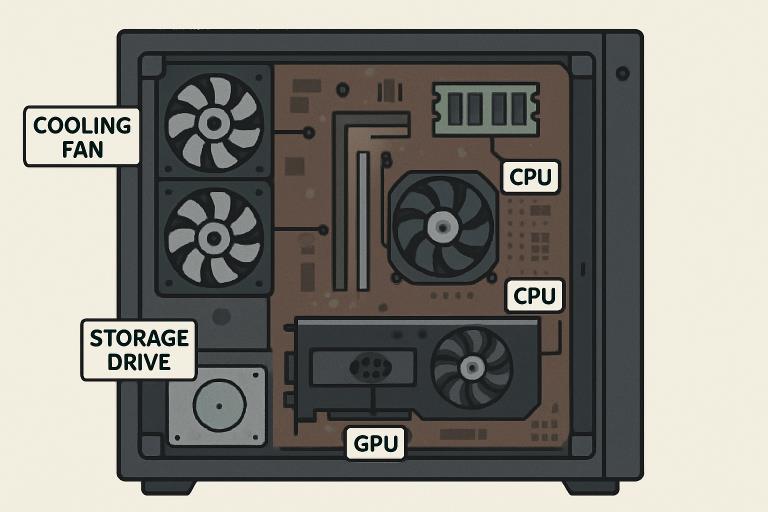
High-performance hardware generates heat, and maintaining safe operating temperatures helps preserve both performance and hardware life. Most gaming PCs perform well with quality air cooling, especially when paired with a well-ventilated case. However, advanced builds or overclocked CPUs benefit from liquid cooling for both noise reduction and superior thermal performance. Ensure your chosen case has multiple fan mounts and unimpeded airflow paths to keep all your components within a safe thermal range.
Case Selection and Aesthetics
The proper case brings together functionality and style. Select a size (full-tower, mid-tower, or mini-tower) that accommodates your chosen components and allows sufficient space for cable management and airflow. Features like tempered glass panels, RGB lighting, and tool-free drive bays add both aesthetic appeal and convenience. Prioritize cases with well-thought-out airflow and cable routes to keep your system tidy and efficient.
Planning for Future Upgrades
Future-proofing your gaming PC doesn’t have to mean buying only the most expensive components. Select a motherboard with extra RAM slots, a PSU with surplus wattage, and a case with room for additional drives or larger GPUs. These choices make upgrading easier and more cost-effective, ensuring you get the most lifespan out of your system before you need a complete overhaul.
By carefully selecting each component based on your performance needs and preferences, you can create a system that strikes a balance between power, longevity, and personal style, providing a rewarding gaming experience for years to come.