Now Reading: How Business Presentation Software Supports Better Meetings
-
01
How Business Presentation Software Supports Better Meetings

Key Takeaways
- Meeting slides work best when they give participants a clear purpose, sequence, and desired outcome.
- Simple visuals make data, trade-offs, and complex processes easier to discuss.
- Templates and shared layouts reduce repetitive formatting work while improving consistency.
- Slides should guide conversation and decisions, not become a script that people read silently.
- Successful meetings end with documented decisions, owners, deadlines, and follow-up.
A video call can bring people together, but it cannot automatically create alignment. Teams still need a shared understanding of why they are meeting, what information matters, and what must happen before the call ends. Used thoughtfully, business presentation software can turn a scattered conversation into a focused working session.
The goal is not to make every meeting look more polished. It is to make meetings easier to prepare for, easier to follow, and more likely to produce action. A strong deck gives people a visual path from context to evidence, discussion, decision, and next steps.
Why Meetings Need More Than a Video Call
Meeting platforms are useful for connecting people across locations, but they do not solve unclear agendas, disconnected documents, or vague goals. Participants can join on time and still leave unsure about the decision, the priority, or their role.
A presentation can serve as a visual meeting guide. Rather than switching among spreadsheets, chat messages, and separate documents, the group can review the essential information in one place. This is especially useful when a team must compare options, explain a change, resolve a problem, or secure approval.
How Slides Give a Meeting a Clear Path
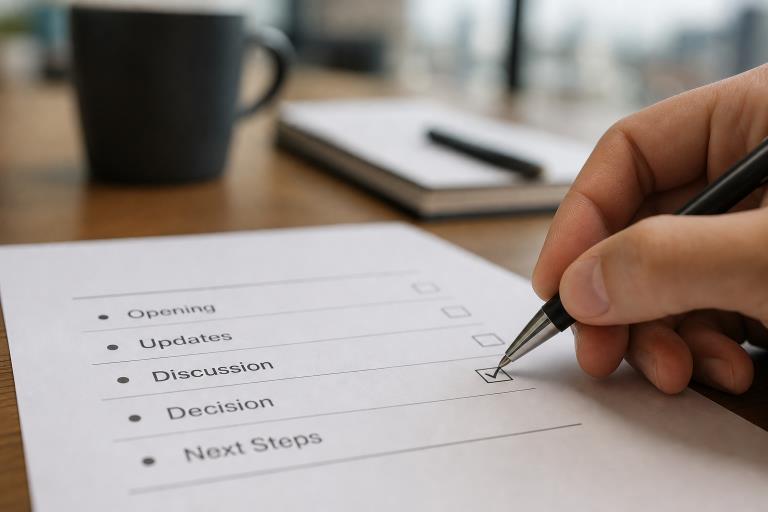
A short, well-organized slide sequence helps participants understand where the discussion is going. For most decision-oriented meetings, a practical flow includes:
- The purpose of the meeting and the desired outcome.
- The current situation or problem.
- The most important evidence, data, or customer feedback.
- Available options and a recommendation.
- Open questions or risks.
- The decision, owners, and next steps.
Sharing this structure before the meeting helps people arrive prepared. It also limits side conversations because attendees can see how each topic connects to the outcome. The deck should remain focused enough that the group spends its time discussing the issue rather than locating background information.
Making Complex Information Easier to Discuss
Charts, timelines, diagrams, and comparison lists can make difficult topics easier to process. One useful visual often does more than a slide filled with paragraphs, particularly when people need to recognize a pattern or quickly weigh competing choices.
- A sales team can compare the customer impact and margins of three pricing plans.
- A product team can show a launch timeline, dependencies, and delivery risks.
- A finance team can explain quarterly results by highlighting the few changes that matter most.
- An operations team can map a process bottleneck and show where delays occur.
Every visual should make a point. Clear labels, useful units, and a short takeaway help attendees understand what they are seeing and why it affects the decision at hand.
Supporting Faster and Better Decisions
Decision-makers need more than raw information. They need to see the choice, its trade-offs, the recommended path, and the likely consequences of waiting. A dedicated decision slide can prevent a meeting from ending with general agreement but no commitment.
- State the exact decision required.
- List the realistic options.
- Identify the recommended option and the reason for it.
- Call out important risks, costs, or dependencies.
- Explain the impact of delaying the decision.
A useful meeting decision framework recognizes that objectives, communication needs, group size, and available time all affect how a meeting should be designed. Slides help by keeping those design choices visible and directing attention toward the outcome.
Helping Remote and Hybrid Teams Stay Involved
Remote participants can miss informal comments, body language, and whiteboard conversations happening in the room. Meeting slides should therefore be easy to read on a smaller screen, with large text, strong contrast, plain-language labels, and uncluttered diagrams.
Place discussion questions directly on slides so everyone has a clear invitation to contribute. Combine this with chat prompts, quick polls, shared notes, and planned pauses for comments. Technology can improve access, but the meeting host still needs to invite quieter participants into the conversation and make space for disagreement.
Reducing Formatting Work and Keeping Teams Consistent
Reusable templates, automatic alignment, approved themes, and shared slide libraries reduce time spent moving text boxes and fixing inconsistent layouts. That recovered time can go toward checking figures, improving the narrative, and preparing for likely questions.
A shared library is particularly valuable for weekly updates, quarterly business reviews, client presentations, training sessions, and project steering meetings. Assign clear ownership for core metrics, recurring slides, meeting templates, and brand or accessibility checks. Consistency should make information familiar and trustworthy, not force every presentation to look identical.
Using Presentations After the Meeting
A meeting deck can become a useful record when it includes enough context to stand on its own. Add sources for important figures, definitions for unfamiliar terms, links to supporting documents, task owners, and specific target dates. This gives teammates who are absent a practical way to catch up without asking for a full replay.
Turning Meeting Slides Into Action Plans
- End with a decision:Record what the group approved, rejected, or postponed.
- Name each owner:Assign one accountable person to every important action.
- Add specific dates:Replace “soon” and “later” with clear deadlines.
- Separate open questionsfrom completed decisions.
- Share the final version:promptly send the approved deck and action list.
- Review progress:Bring unfinished work into the next relevant meeting.
Common Presentation Mistakes That Weaken Meetings
- Opening with a lengthy company background instead of the meeting goal.
- Filling slides with paragraphs that encourage silent reading.
- Showing numbers without explaining what changed or why it matters.
- Using decorative visuals that distract from the main message.
- Changing the deck mid-meeting without explaining the update.
- Ending without a decision, owner, or deadline.
How to Measure Whether Slides Improve Meetings
Measure more than attendance and satisfaction. Track whether meetings finish with documented decisions, whether follow-up actions are completed on time, whether participants understood the purpose, and whether fewer questions need to be repeated afterward. Compare meeting length and project progress before and after adopting a more disciplined slide structure.
The strongest business meeting outcomes connect meeting activity to real progress, such as faster project delivery, stronger stakeholder alignment, customer movement, or better budget control. When teams measure those results, they can improve both the presentation and the meeting itself.
Common Questions About Presentation Software and Meetings
Can presentation software replace a meeting agenda?
No. It can support the agenda visually, but participants still need a clear written purpose and expected outcome.
How many slides should a business meeting use?
There is no fixed number. Use only the slides needed to explain, discuss, and decide. A short approval meeting may need five slides, while training may require more.
Should every meeting include slides?
No. Simple updates may be better handled through email or a shared document. Slides are most valuable when a team needs to compare, teach, persuade, or decide.
Conclusion
Business presentation software supports better meetings by helping people prepare, participate, decide, and act. The best decks do not merely look polished. They clarify the goal, make evidence understandable, create room for inclusive discussion, and end with accountable next steps.